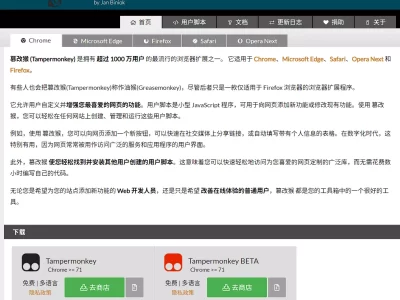
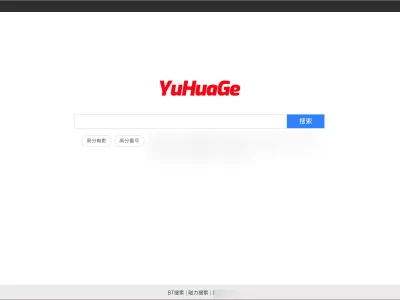
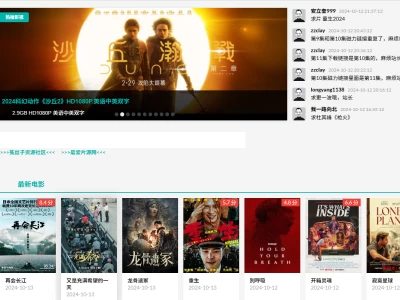
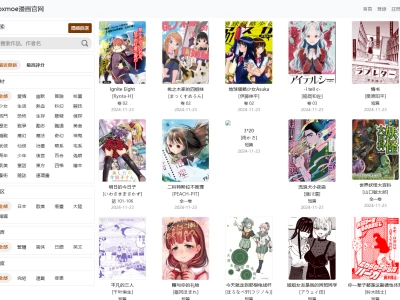
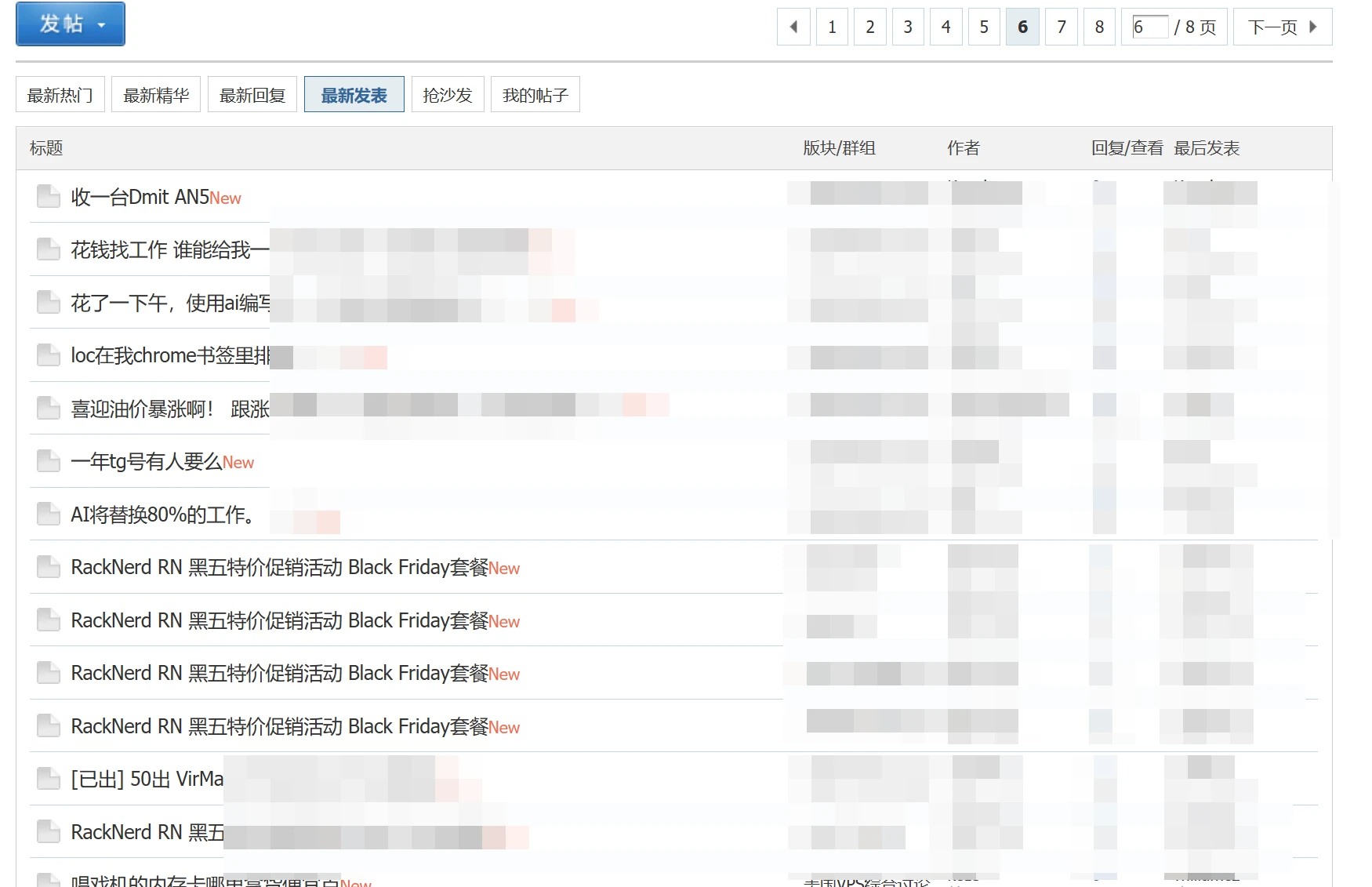
熟悉hostloc论坛的朋友都知道,那种推广贴要么不发,要发就是一个列表完全看不完的那种,我个人通常都是按照最新发帖的顺序来看的,所以很多时候基本整个列表都是广告。
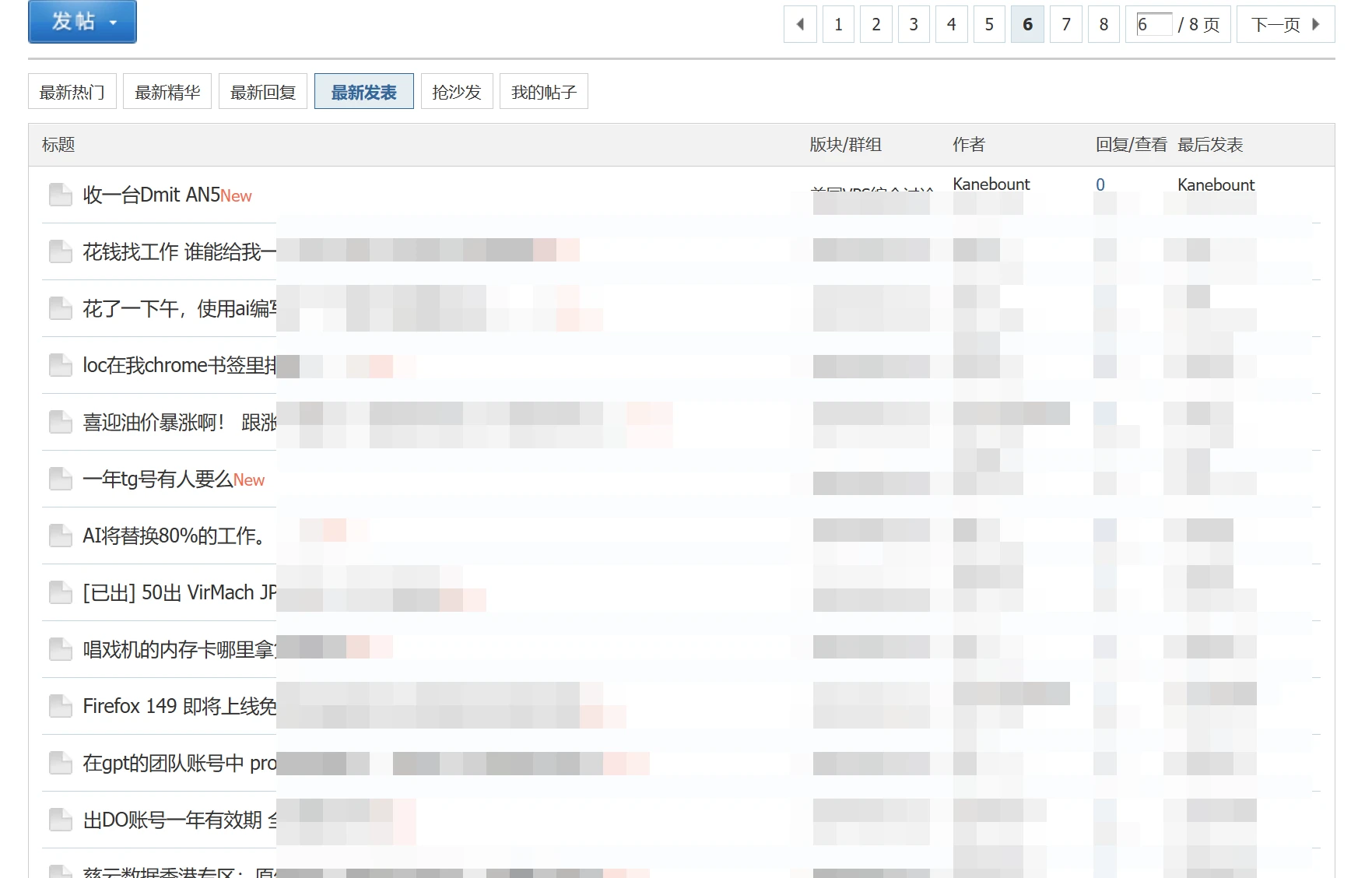
为了解决这个问题,我只能求助AI,让其隐藏特定用户的发帖记录,某种程度上面来说,AI可以很好的解决此类需求,而且可以很完美的解决。
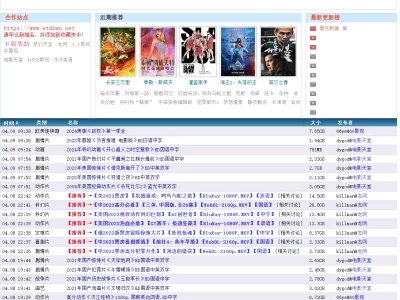
没启用之前你看到的是下面的情况:
启用之后,就会很清爽了:
同时,鉴于我之前就是用了无限翻页脚本,所以为了适配这个脚本,我让AI也做出了一个兼容,最终的代码如下:
// ==UserScript==
// @name 隐藏特定用户帖子(支持AJAX + 前端管理)
// @namespace http://tampermonkey.net/
// @version 1.2
// @description 隐藏特定用户的帖子,支持AJAX动态加载,支持一键屏蔽/管理屏蔽列表
// @author You
// @match https://hostloc.com/*
// @grant none
// ==/UserScript==
(function () {
'use strict';
const STORAGE_KEY = 'hostloc_blocked_uids';
const SPACE_UID_RE = /^space-uid-(\d+)\.html$/;
// ── 注入全局样式 ─────────────────────────────────
const style = document.createElement('style');
style.textContent = `
.hblk-btn {
margin-left: 3px;
padding: 0 3px;
font-size: 10px;
line-height: 16px;
border-radius: 2px;
cursor: pointer;
vertical-align: middle;
display: inline-block;
user-select: none;
opacity: 0;
transition: opacity .2s;
}
td:hover .hblk-btn,
cite:hover .hblk-btn,
li:hover .hblk-btn,
p:hover .hblk-btn,
.hblk-btn:hover {
opacity: 1;
}
.hblk-btn.is-blocked {
color: #aaa;
border: 1px solid #d0d0d0;
background: #f7f7f7;
}
.hblk-btn.is-normal {
color: #999;
border: 1px solid #ddd;
background: transparent;
}
.hblk-btn.is-normal:hover {
color: #c0392b;
border-color: #c0392b;
}
`;
document.head.appendChild(style);
// ── 读写屏蔽列表 ──────────────────────────────────
function getBlockedIds() {
try {
const raw = localStorage.getItem(STORAGE_KEY);
return raw ? JSON.parse(raw) : ['76592', '76241', '34275', '76245', '70315', '76606'];
} catch {
return [];
}
}
function saveBlockedIds(ids) {
localStorage.setItem(STORAGE_KEY, JSON.stringify([...new Set(ids)]));
}
function addBlockedId(uid) {
const ids = getBlockedIds();
if (!ids.includes(uid)) {
ids.push(uid);
saveBlockedIds(ids);
}
}
function removeBlockedId(uid) {
saveBlockedIds(getBlockedIds().filter(id => id !== uid));
}
// ── 提取 uid(仅 space-uid-XXX.html 格式)────────
function extractUid(href) {
if (!href) return null;
const m = href.match(SPACE_UID_RE);
return m ? m[1] : null;
}
// ── 隐藏帖子 ──────────────────────────────────────
function hideBlockedPosts() {
const blockedIds = getBlockedIds();
const links = document.querySelectorAll('tr > td cite a[href^="space-uid-"]');
links.forEach(link => {
const uid = extractUid(link.getAttribute('href'));
if (uid && blockedIds.includes(uid)) {
const tbody = link.closest('tbody');
if (tbody) tbody.style.display = 'none';
}
});
}
// ── 显示被取消屏蔽的帖子 ──────────────────────────
function showUnblockedPosts() {
const blockedIds = getBlockedIds();
document.querySelectorAll('tbody[style*="display: none"]').forEach(tbody => {
const link = tbody.querySelector('a[href^="space-uid-"]');
if (link) {
const uid = extractUid(link.getAttribute('href'));
if (uid && !blockedIds.includes(uid)) {
tbody.style.display = '';
}
}
});
}
// ── 更新按钮外观 ──────────────────────────────────
function applyBtnState(btn, uid) {
const blocked = getBlockedIds().includes(uid);
btn.textContent = blocked ? '✕' : '⊘';
btn.title = blocked ? `取消屏蔽 UID:${uid}` : `屏蔽 UID:${uid}`;
btn.className = 'hblk-btn ' + (blocked ? 'is-blocked' : 'is-normal');
}
// ── 在用户链接旁插入按钮(仅 space-uid-XXX.html)──
function injectInlineButtons() {
const userLinks = document.querySelectorAll('a[href^="space-uid-"]');
userLinks.forEach(link => {
if (link.dataset.blockBtnInjected) return;
const href = link.getAttribute('href');
// 严格匹配 space-uid-数字.html
if (!SPACE_UID_RE.test(href)) return;
link.dataset.blockBtnInjected = '1';
const uid = href.match(SPACE_UID_RE)[1];
const btn = document.createElement('span');
applyBtnState(btn, uid);
btn.addEventListener('click', e => {
e.preventDefault();
e.stopPropagation();
if (getBlockedIds().includes(uid)) {
removeBlockedId(uid);
} else {
addBlockedId(uid);
}
applyBtnState(btn, uid);
hideBlockedPosts();
showUnblockedPosts();
});
link.parentNode.insertBefore(btn, link.nextSibling);
});
}
// ── 悬浮管理面板 ──────────────────────────────────
function createManagerPanel() {
const fab = document.createElement('div');
fab.textContent = '⊘';
Object.assign(fab.style, {
position: 'fixed', bottom: '20px', right: '20px', zIndex: '99999',
background: '#555', color: '#fff', width: '32px', height: '32px',
borderRadius: '50%', cursor: 'pointer', fontSize: '16px',
boxShadow: '0 2px 6px rgba(0,0,0,.2)', userSelect: 'none',
display: 'flex', alignItems: 'center', justifyContent: 'center',
opacity: '0.35', transition: 'opacity .2s',
});
fab.addEventListener('mouseenter', () => fab.style.opacity = '1');
fab.addEventListener('mouseleave', () => { if (panel.style.display === 'none') fab.style.opacity = '0.35'; });
document.body.appendChild(fab);
const panel = document.createElement('div');
Object.assign(panel.style, {
position: 'fixed', bottom: '60px', right: '20px', zIndex: '99999',
background: '#fff', border: '1px solid #ddd', borderRadius: '8px',
boxShadow: '0 4px 16px rgba(0,0,0,.15)', padding: '14px',
width: '260px', maxHeight: '380px', overflowY: 'auto',
display: 'none', fontFamily: 'sans-serif', fontSize: '13px',
});
document.body.appendChild(panel);
fab.addEventListener('click', () => {
const show = panel.style.display === 'none';
panel.style.display = show ? 'block' : 'none';
fab.style.opacity = show ? '1' : '0.35';
if (show) renderPanel();
});
function renderPanel() {
const ids = getBlockedIds();
panel.innerHTML = `
屏蔽列表 (${ids.length})
`;
const listEl = panel.querySelector('#hblk_list');
ids.forEach(uid => {
const row = document.createElement('div');
Object.assign(row.style, {
display: 'flex', justifyContent: 'space-between', alignItems: 'center',
padding: '4px 0', borderBottom: '1px solid #f0f0f0',
});
row.innerHTML = `
UID: ${uid}
`;
const del = document.createElement('span');
del.textContent = '移除';
Object.assign(del.style, { color: '#c0392b', cursor: 'pointer', fontSize: '11px' });
del.addEventListener('click', () => {
removeBlockedId(uid);
renderPanel();
hideBlockedPosts();
showUnblockedPosts();
refreshInlineButtons();
});
row.appendChild(del);
listEl.appendChild(row);
});
panel.querySelector('#hblk_add').addEventListener('click', () => {
const input = panel.querySelector('#hblk_input');
const val = input.value.trim();
if (/^\d+$/.test(val)) {
addBlockedId(val);
renderPanel();
hideBlockedPosts();
refreshInlineButtons();
} else if (val) {
alert('请输入纯数字 UID');
}
});
panel.querySelector('#hblk_input').addEventListener('keydown', e => {
if (e.key === 'Enter') panel.querySelector('#hblk_add').click();
});
}
}
function refreshInlineButtons() {
document.querySelectorAll('[data-block-btn-injected]').forEach(el => {
el.removeAttribute('data-block-btn-injected');
const next = el.nextSibling;
if (next && next.classList && next.classList.contains('hblk-btn')) next.remove();
});
injectInlineButtons();
}
// ── 初始化 ─────────────────────────────────────────
hideBlockedPosts();
injectInlineButtons();
createManagerPanel();
const observer = new MutationObserver(mutations => {
let hasNew = false;
for (const m of mutations) {
if (m.type === 'childList' && m.addedNodes.length) { hasNew = true; break; }
}
if (hasNew) {
hideBlockedPosts();
injectInlineButtons();
}
});
observer.observe(document.body, { childList: true, subtree: true });
})();
使用方法也很简单,在列表页面,鼠标移动端每个用户名旁边会出现一个禁止的图标,如下图:
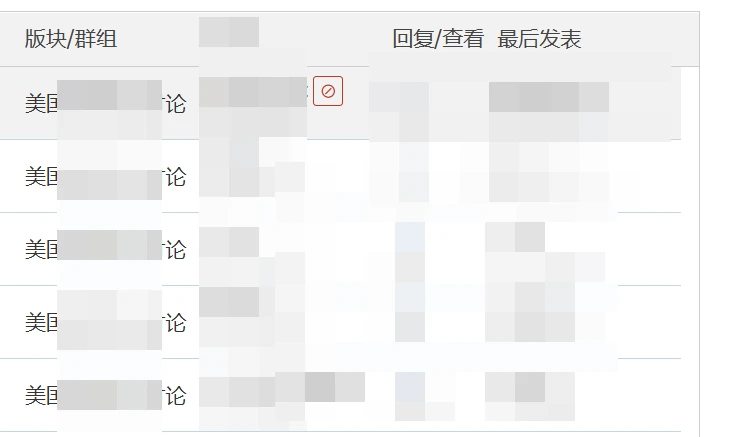
点击这个图标即可禁止该用户发布的帖子出现在列表页面,我的判断是每个匹配“space-uid-XXXXXX.html”的链接后面都有这样的按钮,所以当你将鼠标移动到用户名后面的时候,基本都有这个按钮存在。
如果觉得这样麻烦,可以直接通过右下角的按钮批量添加或者解除屏蔽:
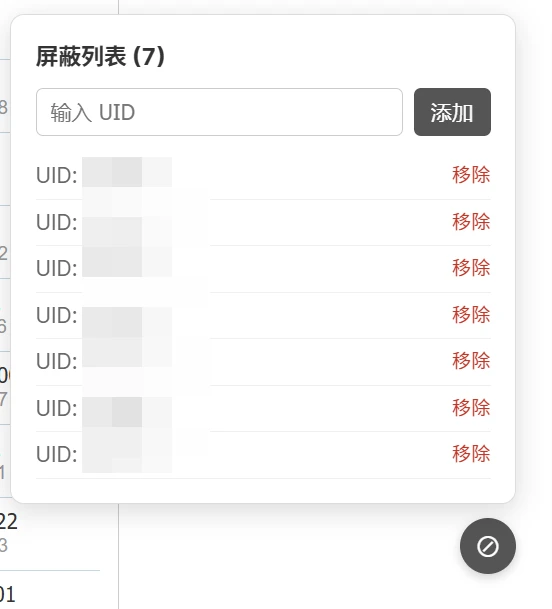
代码方面是通过Claude生成的,请各位高手不要介意,毕竟都是为了自己的需求来设定的。
针对已经安装了油猴脚本的用户,可以直接点击链接进行安装: https://greasyfork.org/zh-CN/scripts/570340-%E9%9A%90%E8%97%8F%E7%89%B9%E5%AE%9A%E7%94%A8%E6%88%B7%E5%B8%96%E5%AD%90-%E6%94%AF%E6%8C%81ajax-%E5%89%8D%E7%AB%AF%E7%AE%A1%E7%90%86